
Native PDF form filling for Salesforce
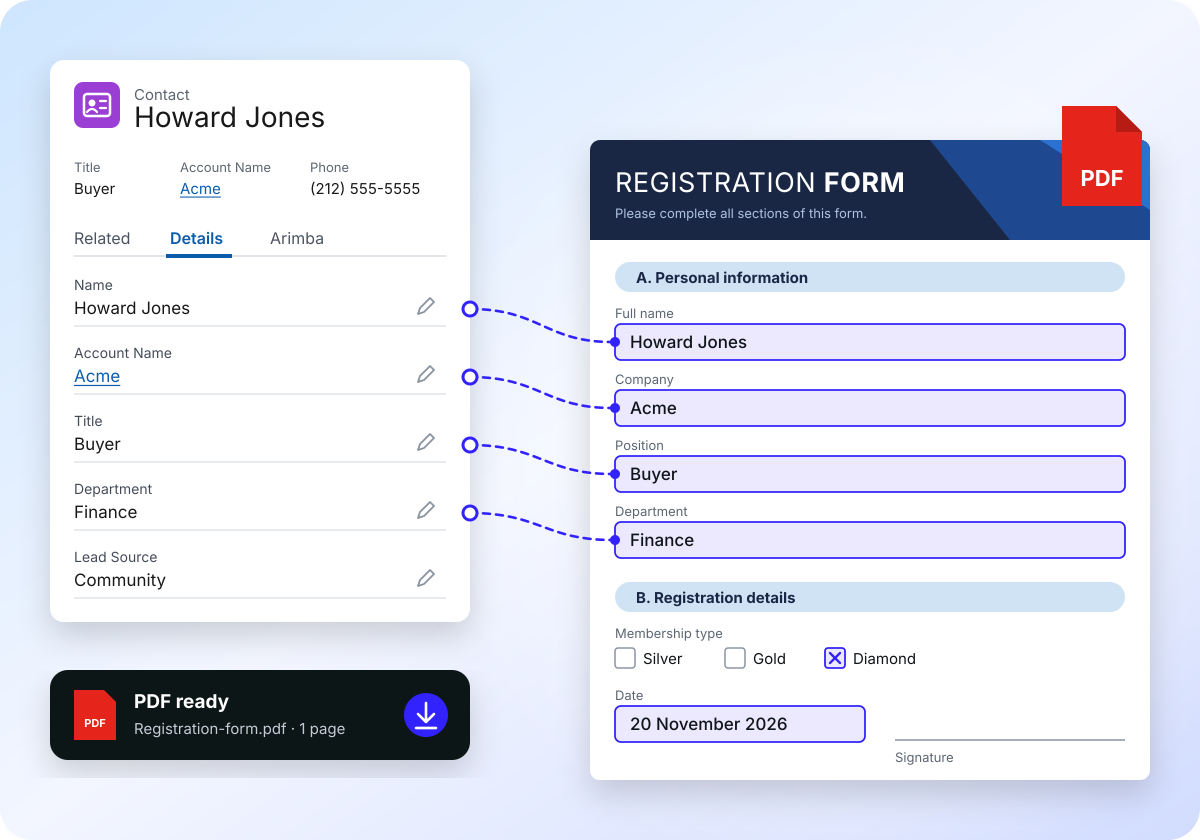
The PDF forms you already have, filled from Salesforce.
Upload an existing PDF, place your merge fields visually, and generate finished documents from any record. No API, no middleware, no rebuilding forms as templates.
Listed on Salesforce AppExchange. Works on Professional, Enterprise and Unlimited.
100% native
Managed package with automatic upgrades
No API or middleware
Data is filled inside Salesforce
Salesforce Shield compatible
Built for sensitive documents
Multi-Cloud Ready
Sales, Service and Platform Cloud
How it works
From blank form to finished PDF in three steps.
01
Upload your PDF
Store the form you already use as a template in Salesforce. Official forms, applications and contracts stay exactly as they are.
02
Place merge fields visually
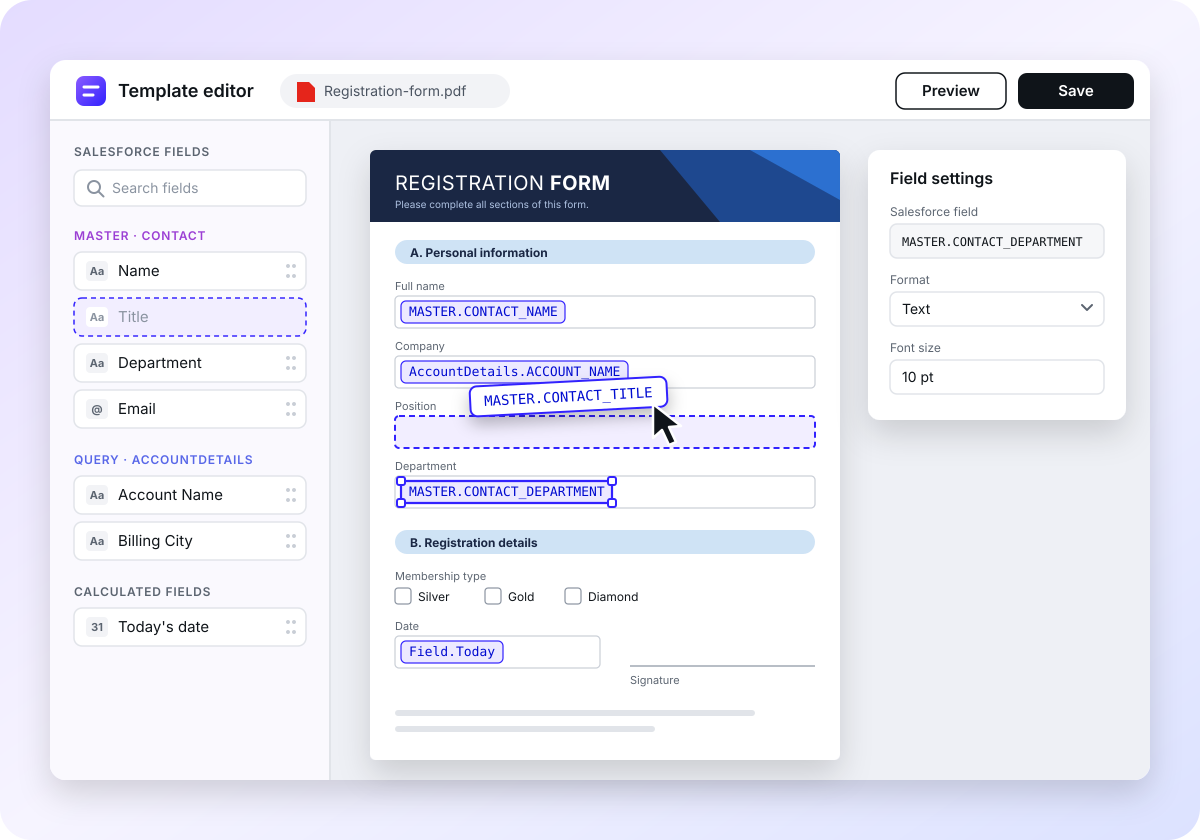
Open the visual editor, click where a value belongs and pick the Salesforce field. No fillable form fields needed in the PDF.
03
Generate from any record
One click on the record fills the form and gives you the finished PDF to download, on desktop or in the Salesforce mobile app.
Visual editor
Add merge fields to any PDF, right on the page.
Drop merge fields onto an existing PDF in the visual file editor. You see the document while you map it, so admins and business users can set up templates without a developer.
- Works with PDFs that have no form fields
- Templates are stored and managed in Salesforce
- Start with minimal configuration
Data mapping
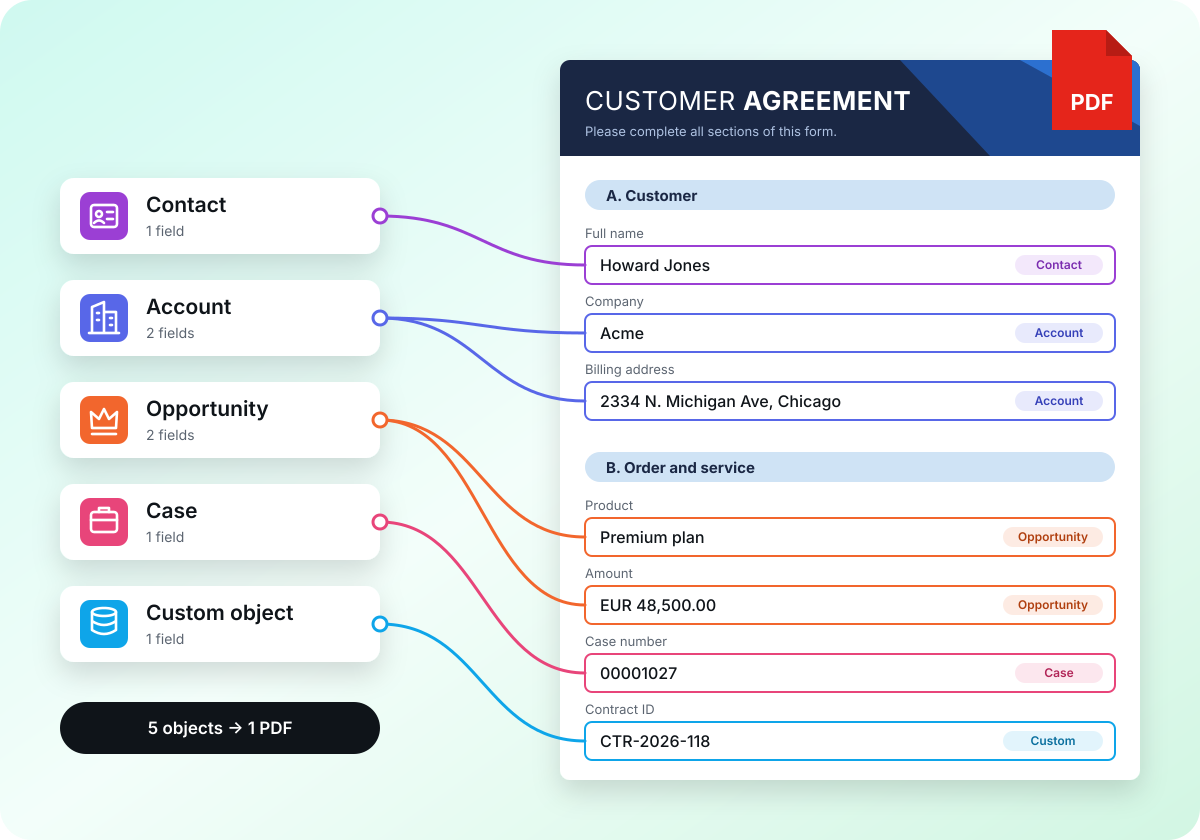
Combine data from several objects in one document.
Pull values from multiple objects and transform them on the way into the form. Standard and custom objects, Person Accounts and multiple currencies are supported.
Automation
Scale from one click to high-volume generation.
Begin with a button on the record page. When volume grows, automate document creation and use the optional API for advanced cases.
up to 80%
less time spent on document work, compared with filling forms by hand.
Lightning ready
Add Arimba to record pages with Lightning App Builder.
Salesforce Mobile
Generate documents on the go.
No org limits used
The package does not count against your app, tab and object limits.
Agentforce ready
Agentforce pulls Salesforce data, automatically populating PDFs.
Security
Your data never leaves Salesforce.
Arimba fills documents inside your org. There is no external service in between, so your existing permissions and sharing rules stay in charge.
- No external API calls or middleware
- Compatible with Salesforce Shield
- AppExchange managed package
- Built by certified Salesforce partner
Pricing
Start free. Pay when it saves you time.
| Free | Team | Business | Enterprise | |
|---|---|---|---|---|
| Price | $0for your whole org | $13per user / month | $199per org / month | $499per org / month |
| PDFs per month | 200 | 500 | 2,000 | Unlimited |
| Templates | 2 | 10 | 200 | Unlimited |
| Users | Whole org | Licensed users | Whole org | Whole org |
| Support | Help center and email | Help center and email | Priority email | Dedicated, with guided onboarding* |
| API and automation | – | – | – | Included |
| Start for free | Start for free | Start for free | Contact us |
Need several orgs, template migration, SLA or invoicing? Talk to us. Nonprofit discounts are available.
*Guided onboarding includes environment setup, admin training, and hands-on migration of up to 10 standard templates.
Complex layouts or bulk migrations are scoped separately.
Questions before you install
Do I need to rebuild my forms as templates?
No. You upload the PDF you already use and place merge fields on it. The layout of the original form stays untouched.
Which Salesforce editions are supported?
Professional, Enterprise, Unlimited, Developer and Essentials. No additional Salesforce products are required.
Does any data leave my org?
Not when you generate documents in Salesforce. The Arimba component on your record pages fills PDFs entirely inside your org, without external services or middleware.
Only the optional REST API works differently. When you use it, the data for the requested document is sent to the Arimba web service, which creates the PDF and returns it to your org. The service is hosted in the EU—with US hosting available if needed—and your data is deleted immediately after the PDF is created. The API is turned off until you set it up with an API key.
How do I get help?
Guides and how-tos are open in the help center. If you need more help, send us a request with the support form there.
Fill your first form in your own org today.
Install Arimba from AppExchange and try it with a PDF you already use.